



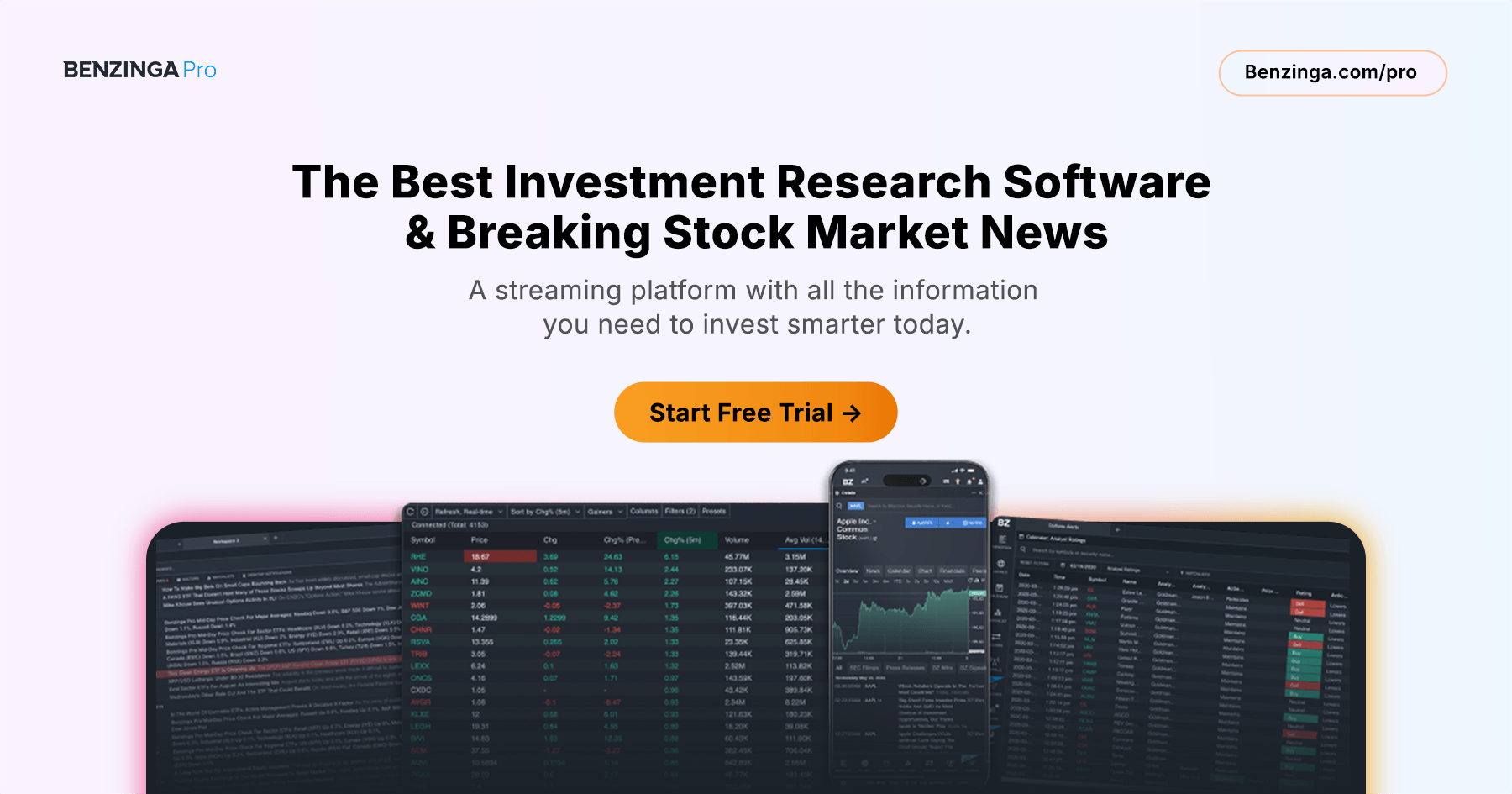
Trading news events is one of the most direct paths to consistent edge in the market. Every significant price move — whether it’s a stock surging 30% at the open, an index selling off on a macro data miss, or a sector rotating violently on a regulatory announcement — starts with information. The traders who profit most reliably from these moves aren’t luckier than everyone else; they simply see the news first, understand it faster, and act before the broader market has fully priced it in. Benzinga Pro is built specifically for catalyst-driven trading, combining a real-time newsfeed that beats Bloomberg and CNBC by up to 15 minutes, a comprehensive Calendar suite covering every type of scheduled market event, and a live audio Squawk feed that delivers breaking developments straight to your ears — so you’re never caught flat-footed by a market-moving headline.
Why Trading News Events Requires a Different Approach
Most retail traders approach the market reactively: they see a stock moving, wonder why, and look for an explanation after the fact. By then, the best part of the move has already happened. The news-driven trader flips this model entirely. Instead of chasing moves, they anticipate events, position ahead of catalysts, and use real-time information delivery to execute at the earliest possible moment.
This approach requires two things: a clear framework for the types of news events that move markets, and the tools to monitor, receive, and act on those events faster than other market participants. Benzinga Pro provides both.
The Major Categories of News Events That Move Markets
Not all news is created equal. Understanding which categories of events create the most reliable and tradeable price moves is the foundation of any effective news-driven trading strategy.
Earnings Releases
Quarterly earnings reports are the most consistently scheduled and widely anticipated news events in the market. A company that beats EPS estimates by a significant margin, raises forward guidance, or surprises on revenue can gap up 10–30% at the open. A miss — or a beat accompanied by weak guidance — can produce the opposite. Earnings are highly tradeable because they are known in advance (exact date and time) and historically produce some of the largest single-day price moves of any event type.
Benzinga Pro’s Calendar tool tracks exact earnings dates and times — including whether the report is before the open or after the close — along with historical EPS surprise data and consensus estimates. This lets traders plan positions well in advance, knowing precisely when the catalyst will arrive. For a full strategy guide on earnings trading, see Trade Earnings Profitably with Benzinga Pro’s Calendar Suite.
FDA and Regulatory Decisions
FDA approval decisions, clinical trial readouts, and regulatory rulings can move biotech and pharmaceutical stocks 50–200% in a single session — making them among the most explosive tradeable events in the entire market. Unlike earnings, many FDA catalysts can be planned for weeks or even months in advance, giving traders time to research the setup, size a position carefully, and define their risk before the binary event arrives.
Benzinga Pro’s Calendar includes a dedicated FDA and Regulatory Events view that tracks drug approval decisions, PDUFA dates, clinical trial milestones, and other regulatory filings — filterable by date and watchlist. When the decision hits, Benzinga Pro’s Newsfeed and Squawk deliver it ahead of mainstream media, giving traders the critical seconds needed to act before the initial print widens. For more on this strategy, see How to Trade Biotech Stocks: Strategies, Catalysts, and Tools for FDA Plays.
Analyst Rating Changes
Analyst upgrades, downgrades, initiations, and price target changes from major Wall Street firms move stocks every single trading day. A surprise upgrade from Goldman Sachs or a dramatic price target increase from Morgan Stanley can spark a multi-percent gap in a heavily followed stock — particularly in the pre-market session when liquidity is thin and moves are amplified.
Benzinga Pro’s Analyst Ratings Calendar tracks all rating changes in real time, including the action, the prior rating, the new rating, price targets before and after, and the firm making the call. The Newsfeed delivers analyst rating news the moment it’s published, and the Squawk audio feed reads significant upgrades and downgrades aloud as they drop. For a deeper look at how to use analyst research in trading, see Stock Analyst Ratings: How to Use Wall Street Research for Better Trading Decisions.
Economic Data Releases
Macro economic data — jobs reports, CPI, PPI, Fed rate decisions, GDP readings, ISM surveys, consumer confidence — moves entire sectors and indexes, not just individual stocks. A hotter-than-expected inflation print can send rate-sensitive sectors sharply lower. A strong jobs report can reshape interest rate expectations and ripple through financials, utilities, and real estate simultaneously. These events are entirely scheduled — their dates and times known far in advance — making them ideal candidates for planned, systematic trading approaches.
Benzinga Pro’s Morning Update, accessible via the profile icon in the upper right of the platform, presents a daily overview of all economic data releases scheduled for that session — including consensus estimates — alongside pre-market index levels, top earnings, analyst changes, and upcoming IPOs. The Calendar’s Economics view provides year-over-year context that puts each data point in perspective: not just what the number was, but whether it represents a genuine trend shift or a one-off deviation.
M&A Announcements and Corporate Developments
Mergers, acquisitions, spinoffs, buyouts, and major strategic announcements are among the most unpredictable but highest-magnitude news events a trader can encounter. An acquisition announcement at a 30% premium to current price is an immediate, massive catalyst — and the traders who act within the first seconds of the headline are the ones who capture the cleanest entry.
Benzinga works directly with company insiders to deliver exclusive news on M&A deals and corporate decisions before they hit Bloomberg or CNBC. The difference between receiving that headline at 9:15 AM versus 9:30 AM can mean the difference between entry at the pre-gap price and chasing a stock that has already moved significantly.
Secondary Offerings and Insider Activity
Secondary stock offerings — where a company sells new shares to raise capital — are typically dilutive and can cause sharp intraday drops. Significant insider buying or selling, tracked through SEC filings, often precedes meaningful directional moves. Benzinga Pro’s Calendar includes views for secondary offerings and conference calls, and the platform’s dedicated insider trades tracking tools surface corporate buying and selling activity in real time.
Benzinga Pro’s News Event Trading Toolkit
The Newsfeed: Your Real-Time Catalyst Monitor for Trading News Events
The Newsfeed is the core of Benzinga Pro’s news event trading infrastructure — and it is far more powerful than a standard financial news aggregator. It’s real-time, customizable, and searchable using tickers, keywords, Boolean expressions, watchlists, scanner configurations, and sector verticals.
For trading news events specifically, the Newsfeed’s filtering capabilities are critical. You can configure multiple simultaneous Newsfeeds — one filtered to your watchlist of catalyst candidates, one filtered to breaking macro news, one filtered by Boolean keywords targeting the event types you trade most (e.g., “upgraded,” “beats,” “FDA,” “acquires,” “merger”). Each feed updates in real time as news lands, with color-coding by source so you can instantly distinguish a Benzinga Wire exclusive from a press release or a third-party newswire.
The WIIM (“Why Is It Moving”) feature goes one step further — it surfaces not just that a stock is moving, but the specific catalyst behind the move and whether the volume supports it. For news event traders, this is an invaluable rapid-assessment tool: it tells you in seconds whether a move is news-driven and real, or a low-volume drift that doesn’t warrant attention.
The Calendar: Plan Your Trading News Events Weeks in Advance
The Calendar tool contains 15 different data views covering the full spectrum of scheduled market events. For a systematic news event trader, the most relevant views are Earnings, Economic Data, FDA, Analyst Ratings, Conference Calls, Dividends, and Unusual Option Activity (which often signals informed positioning ahead of an upcoming event).
Every Calendar view is filterable by watchlist — so you can quickly surface only the upcoming events relevant to the stocks you’re tracking, rather than scrolling through hundreds of irrelevant entries. Results are sortable by any column and exportable to CSV or Excel for planning purposes. You can also add tickers from any Calendar bucket directly to a Watchlist with one click, making it easy to build an event-driven watchlist each week from scratch.
Squawk: Hear Trading News Events the Moment They Break
The Squawk audio feed reads breaking news aloud as it’s published, making it uniquely suited to news event trading. When you’re monitoring charts, managing an open position, or reviewing scanner results, Squawk ensures that a breaking catalyst never goes unnoticed simply because your eyes were elsewhere.
Squawk operates as an all-or-nothing audio feed available from any workspace — it doesn’t interrupt your workflow, it runs alongside it. Traders who use Squawk consistently report that it fundamentally changes their reaction time to breaking news: instead of seeing a price move and scrambling to find the cause, they hear the cause the moment it breaks and are already prepared to act by the time the price moves.
For more on Squawk’s capabilities, see Live Trading Audio News: How Benzinga Pro’s Squawk Audio Feed Gives Traders a Competitive Edge.
Alerts: Never Miss a Catalyst on a Stock You’re Watching
Once you’ve identified upcoming news events and added the relevant tickers to your Watchlist, Benzinga Pro’s Alerts feature lets you set price-level notifications so you’re instantly informed when a catalyst produces a move into your entry zone. Set alerts at key technical levels above the current price for event-driven breakout entries, or below for risk management on positions you’re holding into a catalyst.
A Trading News Events Workflow: From Planning to Execution
Here is how to structure a repeatable, systematic news event trading process using Benzinga Pro:
Sunday/Monday — Weekly event mapping. Open the Calendar and scan the week’s Earnings, FDA, and Economic Data views. Identify the highest-magnitude upcoming events — major earnings reports, PDUFA dates, key macro releases (jobs, CPI, Fed meetings). Add the relevant tickers to a dedicated Watchlist labeled by event type and date.
Each morning — Morning Update review. Load the Benzinga Morning Update (accessible via the profile icon) for a single-screen overview of the day’s economic data schedule, pre-market movers, top earnings, analyst changes, and company events. Identify which scheduled events are most likely to create tradeable moves in your watchlist stocks. For more on pre-market preparation, see How to Trade Pre-Market: Essential Strategies and Tools for Profitable Morning Trading.
Pre-market session (4:00 AM – 9:30 AM EST). Filter the Newsfeed to your event watchlist and monitor for breaking pre-market catalysts — earnings results, analyst rating changes, and any unscheduled news. Turn Squawk on. Check the Unusual Option Activity in the Signals tool and Calendar for any last-minute institutional positioning on event stocks. Set price alerts for your planned entry levels.
At the catalyst. When a news event lands — earnings print, FDA decision, economic data release — the Newsfeed delivers it immediately and Squawk reads it aloud. Use the WIIM feature to confirm the catalyst and assess whether volume is supporting the move. The Movers tool shows you which stocks are already responding most aggressively, helping you identify secondary opportunities in related names or sector peers.
Post-event monitoring. After the initial price discovery, use the Newsfeed’s keyword search to follow the full narrative — analyst reactions, follow-on commentary, sector implications — without leaving the platform. Set new price alerts on any positions you’ve entered to manage risk.
The Information Speed Advantage in News-Driven Trading
Every strategy in this article depends on one thing above all else: receiving information faster than the market prices it in. This is why Benzinga Pro’s news speed advantage — delivering breaking news up to 15 minutes before Bloomberg or CNBC — is not a marketing claim but a genuine structural edge for news event traders.
Benzinga works directly with company insiders and primary sources to break exclusive news on earnings, M&A deals, drug trials, and regulatory decisions. A Benzinga exclusive on an acquisition can hit the Newsfeed and Squawk while the target stock is still trading at its pre-announcement price. By the time the story reaches mainstream financial media, Benzinga Pro subscribers have already had time to read the headline, assess the setup, and execute.
That gap — seconds to minutes — is where news event trading alpha lives.
Start Building Your News Event Trading Strategy Today
Trading news events profitably isn’t about having better intuition than other traders — it’s about having a more systematic approach and faster, more complete information. Benzinga Pro’s Newsfeed, Calendar, Squawk, Alerts, and Signals tools give you the full infrastructure to plan around scheduled catalysts, react instantly to unscheduled ones, and never be the last to know when something market-moving happens.
Start your free 14-day trial of Benzinga Pro and open your first Calendar event view before tomorrow’s session.


